
01 / COMMUNITY
Free to join
Sone Ki Chidiya
Join daily activities and collect SKC tokens. Your free account is the starting point.
Android & iOS / Free registration

Join Sone Ki Chidiya for free and collect SKC.
Contribute eligible network resources through SKC Network, earn PTS, and exchange them for USDT under platform rules.
Free community account · Node slot rental required
Two separate apps with distinct roles, connected through your existing Sone Ki Chidiya account.
Join daily activities and collect SKC tokens. Your free account is the starting point.

Contribute eligible network resources through valid Android node tasks and receive PTS.
Create a free account on Android or iOS. Complete registration before using the node app.
Community guide ↗On a supported Android device, log in with your existing account, rent a slot, and complete valid network tasks to accrue PTS. Node operation has device, connection and contribution requirements.
Node guide ↗Your SKC balance is shared across the ecosystem. Node slots, tasks and PTS records stay associated with each device.
EXPLORE THE CONNECTIONThe same SKC account balance is visible across both apps.
Explore the role of SKCA closer look at the tools behind your mobile node—from daily activity to slot progress and account records.
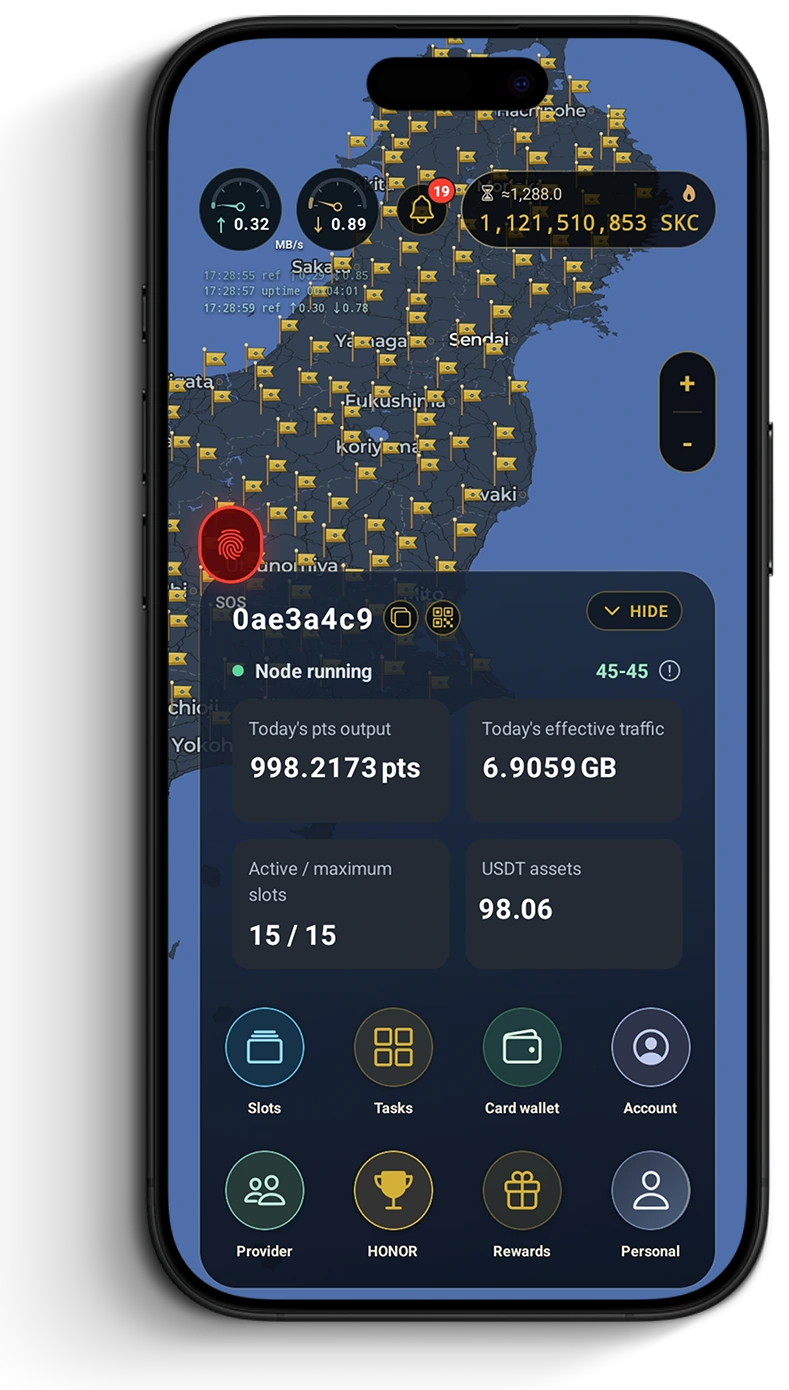
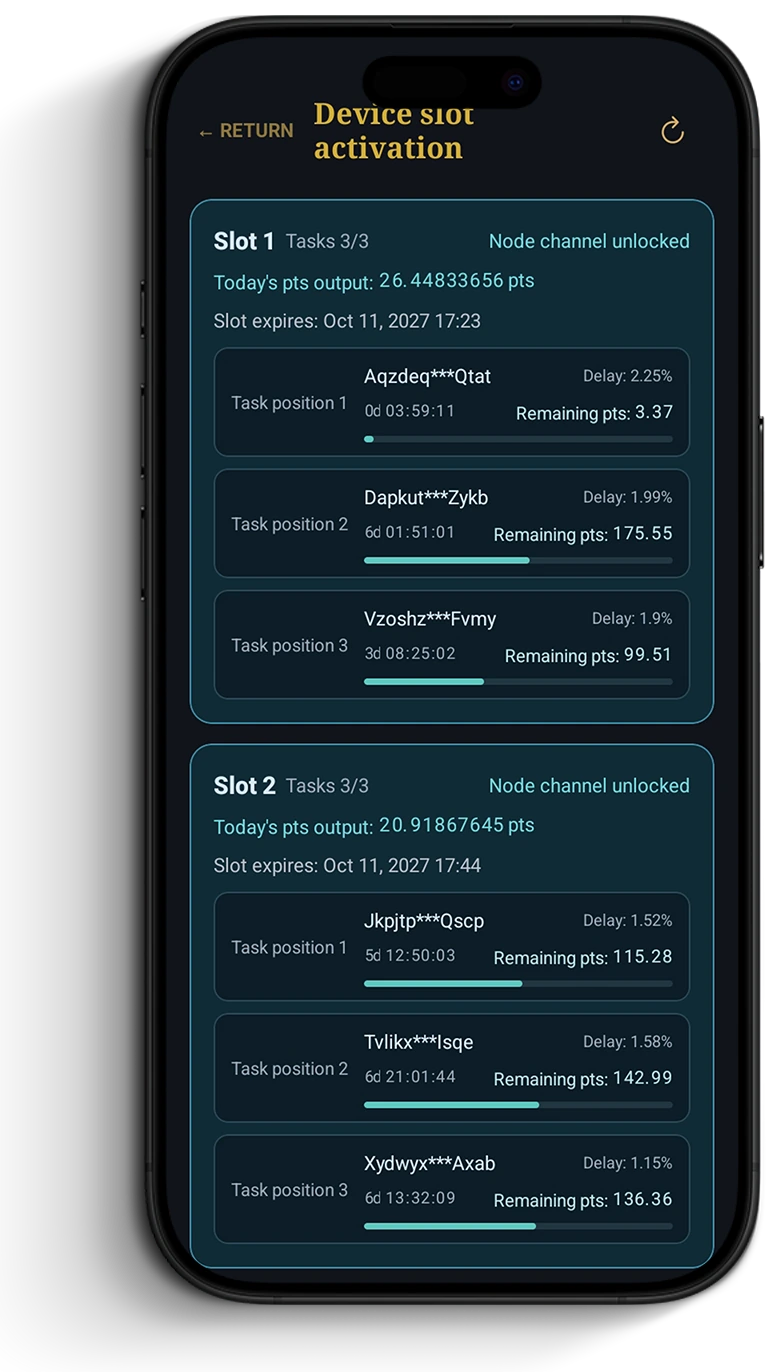
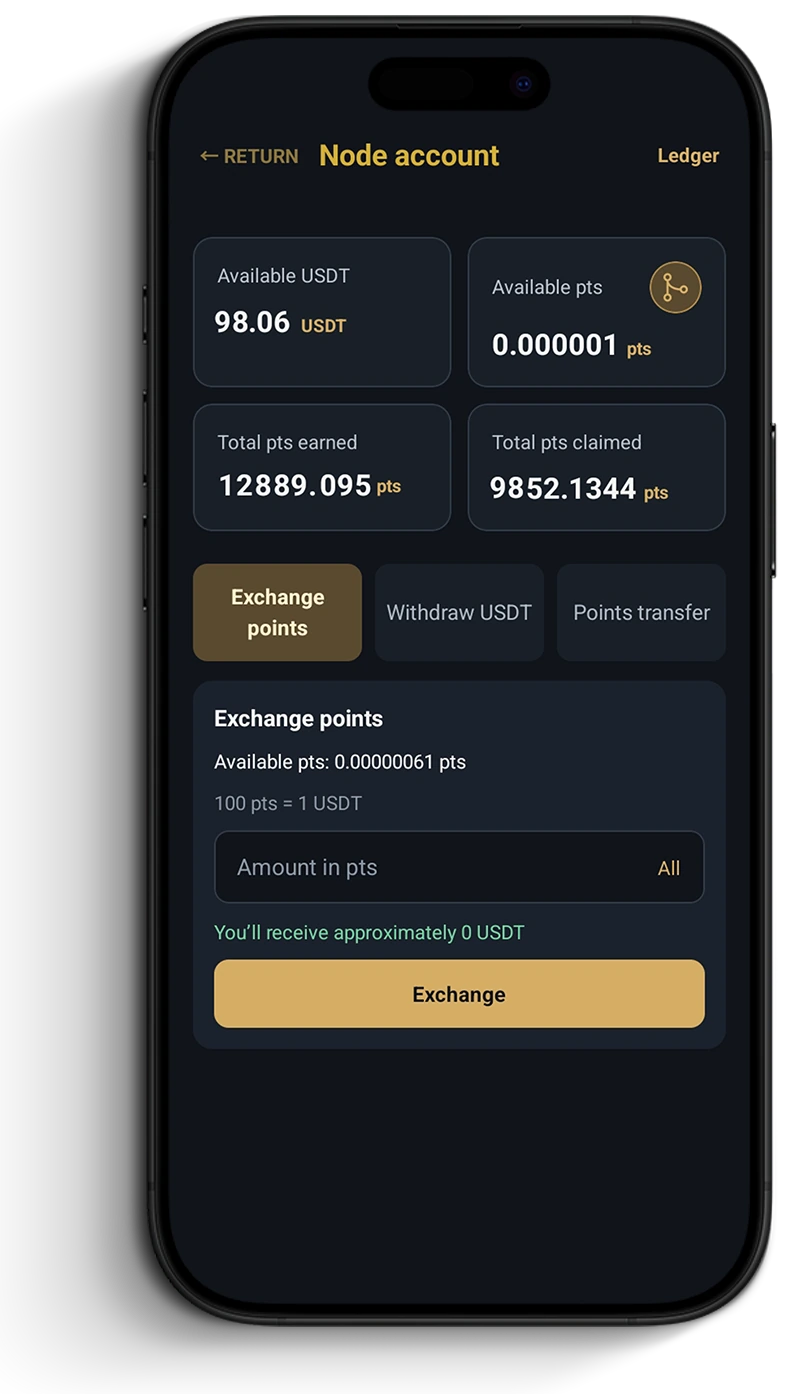
Follow your operating status, today's PTS output and effective network traffic directly from your device dashboard.
Eligible network tasks generate PTS. Follow how contributions are tracked, posted and made available for exchange.
Understand SKC mechanicsComplete eligible network tasks on a supported node.
See points accumulate as valid tasks progress.
Review points posted to your device account.
Exchange eligible PTS under platform rules.

Node reward settlement requires a corresponding SKC deduction. This requirement is separate from PTS tracking and exchange.
Running points may not yet be posted. Your account history shows completed settlements.
05 / TOKEN & POINTSFrom today's community and node apps to future network services. Each stage moves forward through practical testing and verified operation.
Explore the full development planTwo apps and one connected account form the starting point for community and device participation.
A clear path from joining to participating.